For working musicians
Ready for the gig.Even if they called you yesterday.
GigSaver turns a pile of songs into a stage-ready setlist: big chord grids that follow the band, the next song cued up before it starts, and the notes to land on when it's your turn to solo.
Runs in your browser · Install on iPhone, iPad, Android, Mac or PC · Works offline
You know this gig.
The phone rings the day before. The money is good. The setlist is not short.
- 01
The last-minute call
“Can you do tomorrow?” Thirty songs, a folder of PDFs, and charts that don't match the tracks.
- 02
Too many songs, too little time
No time to memorize. Barely time to read everything once.
- 03
Long charts
Two pages of chords per song. You look down, you look up, and you've lost your place.
- 04
Getting lost live
The singer stretches the chorus. Auto-scroll keeps going with the record. Now you're a bar behind.
- 05
Tracks back to back
The tracks run one after another. No time to find the next song — sometimes nobody told you which one is next.
What GigSaver does on stage
Built for the gigs where there's no time to think — only to play.
Autopilot knows the next song
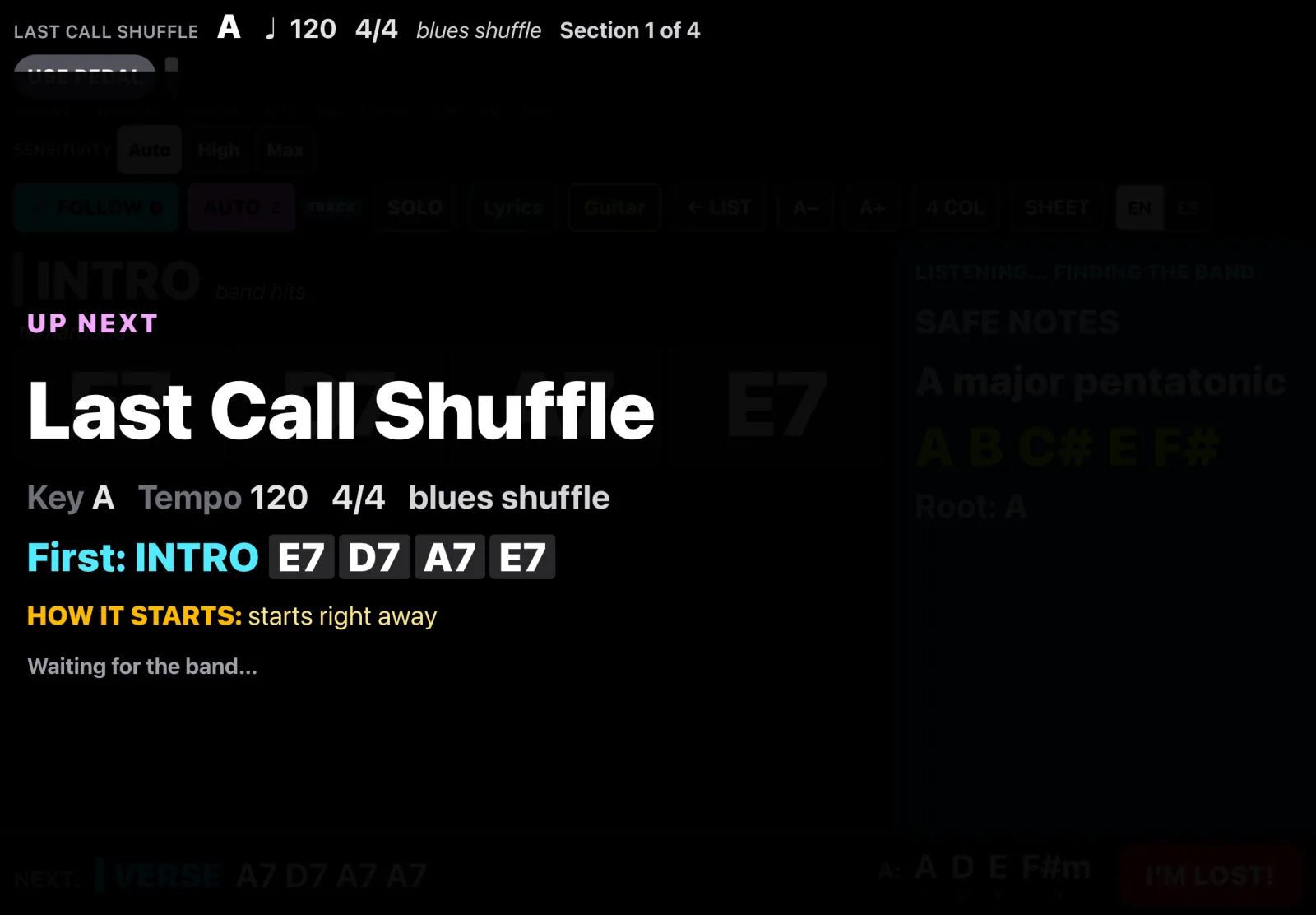
Load the same track the band plays live for each song. GigSaver recognizes which one is playing, switches to it on its own, and shows how the next one starts: count-in and first chord.
SOLO: the notes to land on
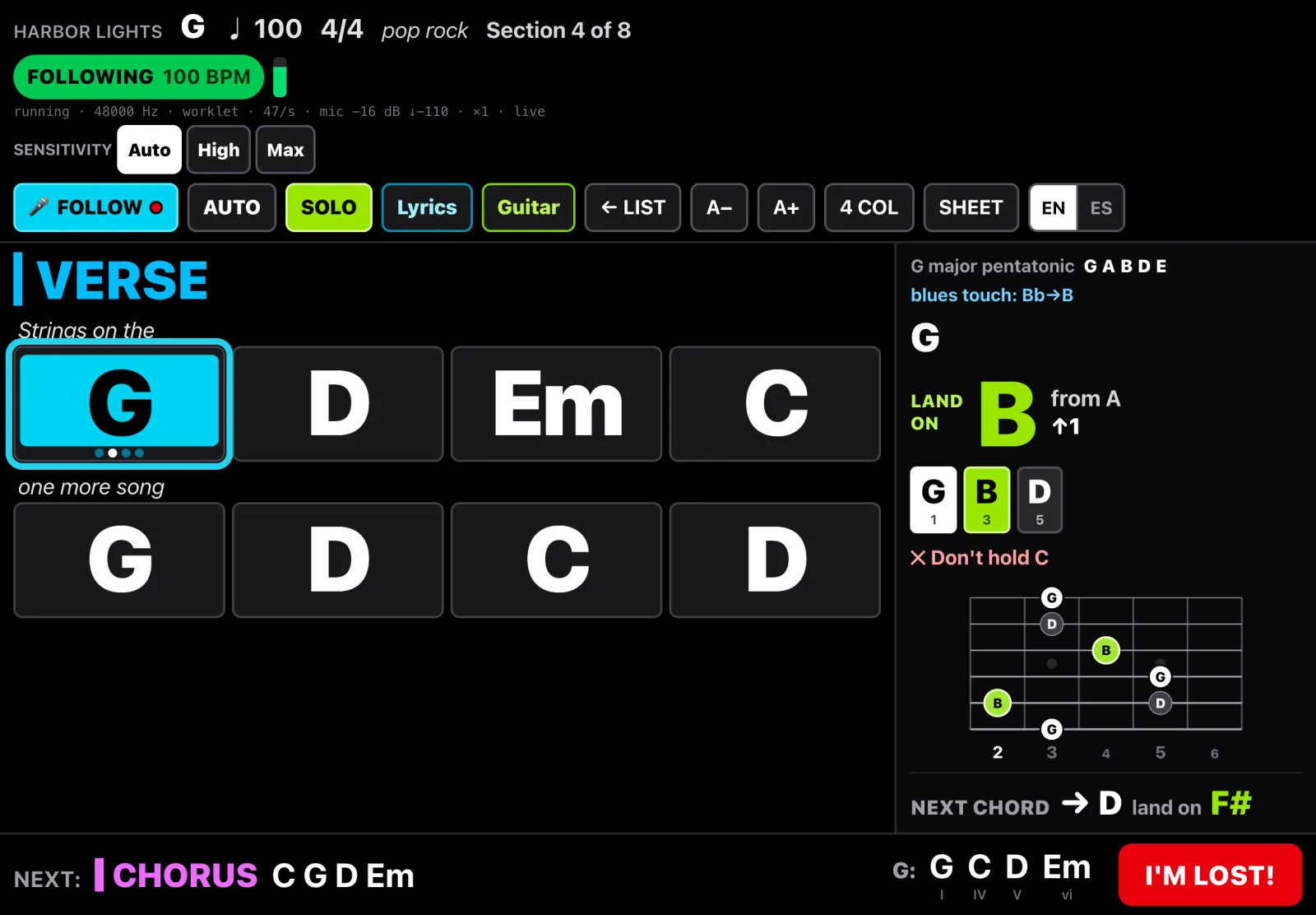
For every chord change: the note that makes the change heard, where to reach it from, the arpeggio, the note not to hold, and a box on the neck near where your hand already is. You don't know the solo — but it sounds right.
Safe notes when you're unsure
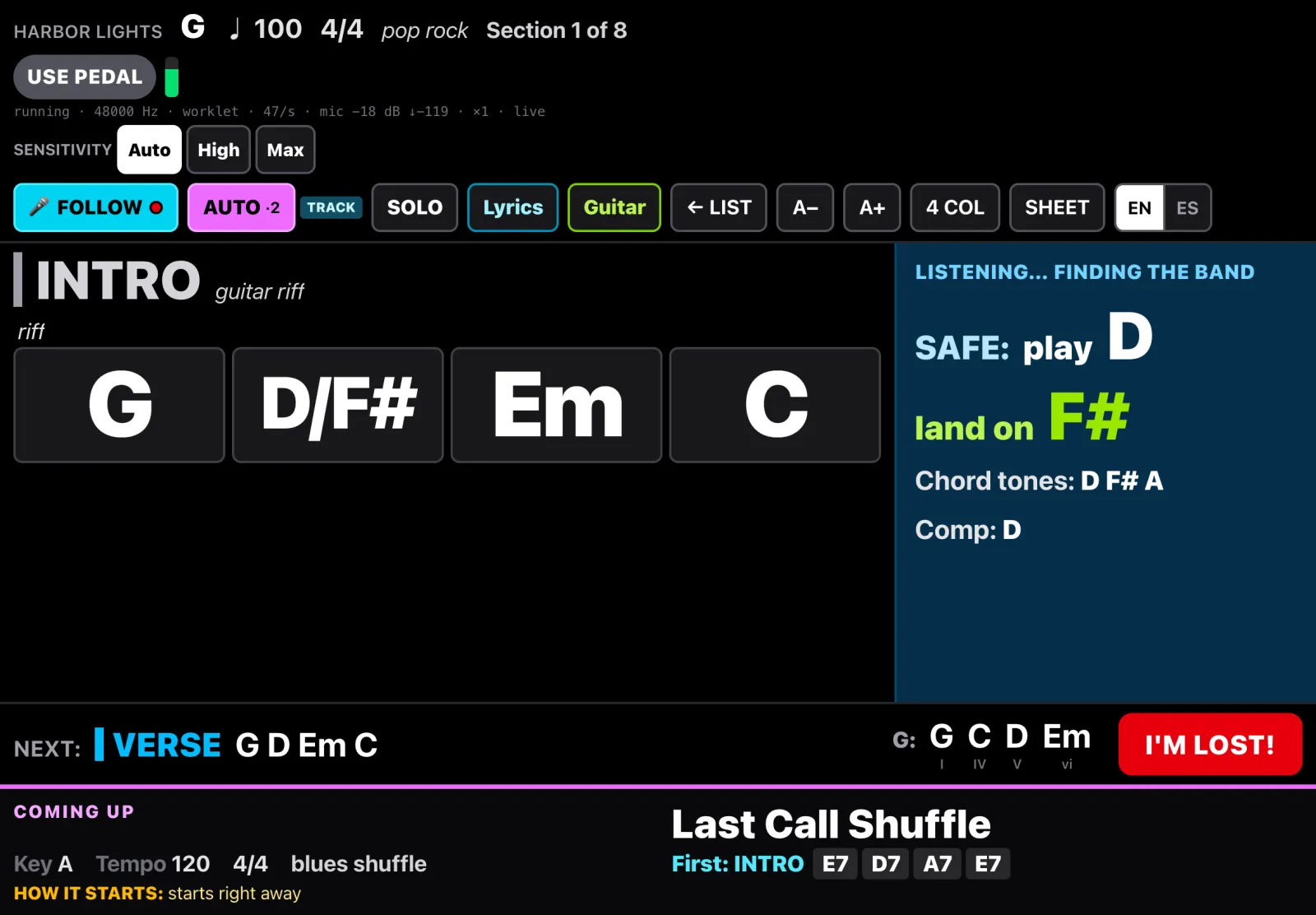
If Smart Scroll loses the band for a moment, a calm panel shows the chord it hears and where to land — or the safe scale of the key — until it finds the band again.
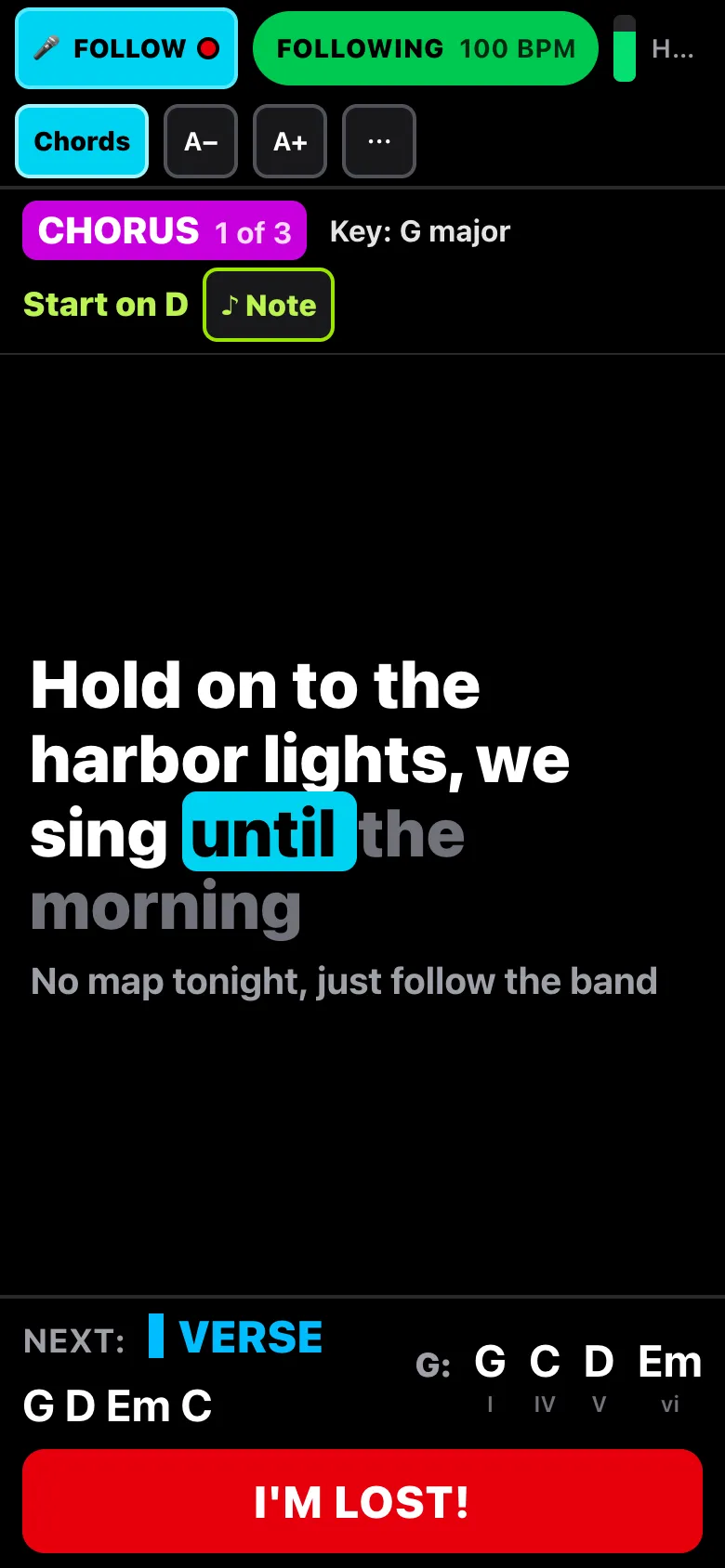
Singer view: big karaoke lyrics
The line you're singing, huge, lighting up with the band. Count-in to your entry, your starting note with a tap to hear it, and the next line below. Bring your own lyrics: paste them or import them.
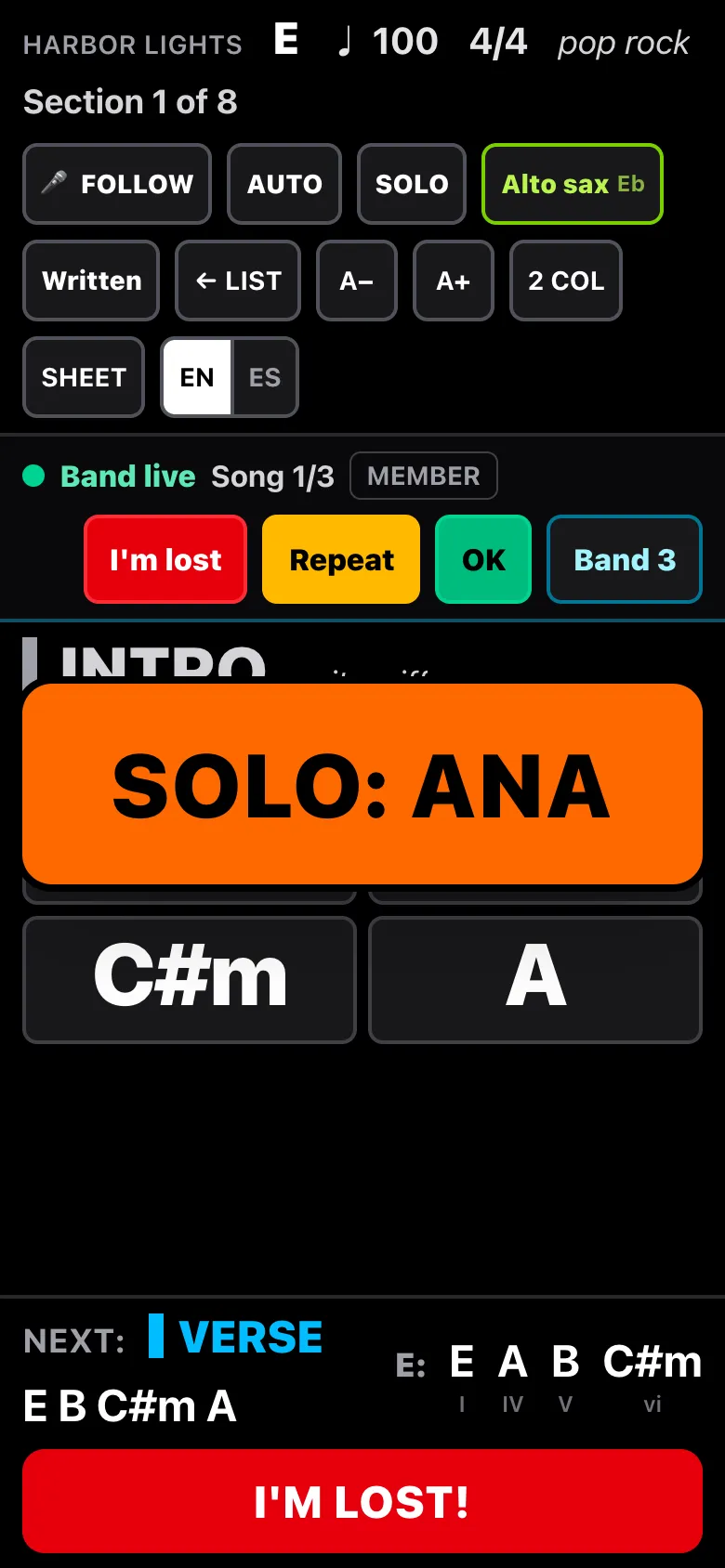
Band Mode: everyone on the same page
The leader picks the song, moves the section and sends cues — “2 more choruses”, “Solo: Ana”, “Ending”. Everyone sees them in their own language and transposition. Musicians join free with a code or a QR.
A grid you glance at, not read
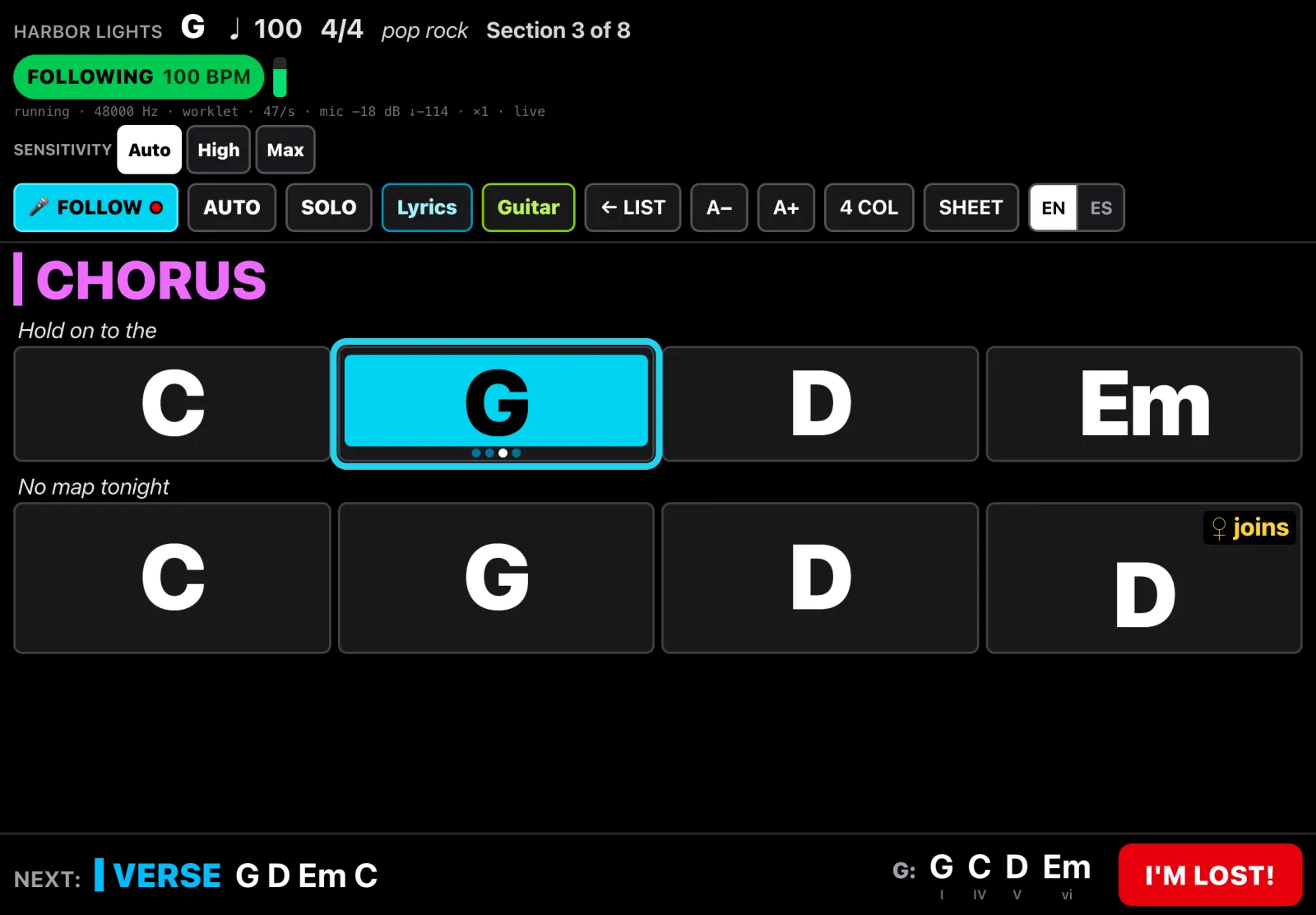
One section at a time, four bars per row, a color per section and huge chords. Bars that change from the last time around light up in yellow. Lost? One tap on “I'm lost” takes you back to the top of the section.
Smart Scroll follows the band, not the record
It listens through the mic and moves with the band — if they stretch a chorus, it waits. When it isn't sure, it says so instead of guessing. Your foot pedal or a tap always wins.
Every instrument, in your key
Guitar, bass, keys, voice, trumpet, alto, tenor and bari sax, clarinet, French horn, flute, violin, trombone. Horns see everything in written pitch — chords, key and solo notes — automatically.
Works offline — ships, hotels, basements
Install it from the browser, no app store. Open it once with signal and the whole app, your charts and your tracks are on the device: no Wi-Fi, no data, still works.
How it works
- 1
Bring your songs
Import the PDFs, photos, ChordPro, Guitar Pro or text the band sent you — or write a chart in minutes. Anything guessed is marked “?”, never shown as sure.
- 2
Add the live tracks
Upload the track for each song. GigSaver checks the chart against it — key, tempo, sections — and tells you what doesn't match, with one-tap fixes.
- 3
Play the gig
Put the tablet on the stand. Smart Scroll follows, autopilot cues the next song, SOLO shows where to land. You just play.
Pricing
Start free. Upgrade when the gigs pay for it.
Free
Try it with your own charts.
$0
Free forever
- Stage grid and “I'm lost” for 3 songs (plus the demo songs)
- Import PDF, photo, ChordPro and Guitar Pro charts
- Every instrument and the singer view
- Sync across your devices and works offline
- Join any Band Mode session
- Most popular
Pro
For musicians who gig every week.
$49/yr
Save 49%
- Everything in Free, with unlimited songs
- Smart Scroll: the chart follows the band
- SOLO guide and safe notes
- Live tracks: chart-vs-track check and autopilot
7-day free trial
Band
For the bandleader.
$99/yr
Save 45%
- Everything in Pro
- Lead Band Mode sessions
- Send cues and control the setlist
- Your musicians join free
7-day free trial
Founder
Pay once. Keep it.
$99once
Only for the first 100 founders
- Everything in Band
- Lifetime access, no subscription
- Support an independent app built by a working musician
Have a code from the video? Use GIG40 at checkout.
Prices in USD. Taxes may apply depending on where you live. Payments are processed by Paddle, our reseller. Cancel anytime.
Questions
Does it really work without internet?
Yes. Install it and open it once with signal: the app, your charts and your tracks stay on the device. On a ship, in a hotel ballroom or in a basement with no signal, the stage, Smart Scroll, SOLO and the singer view all keep working. Signing in, syncing and joining a new band session need a connection.
What happens to my tracks and lyrics?
Your audio tracks never leave your device — not even with an account or in Band Mode. Lyrics stay on your device, and in your private account only if you sign in and sync. Lyrics are never sent to the rest of the band. The microphone is only used while Smart Scroll is on, and nothing it hears is recorded or sent.
Which devices does it work on?
iPad and iPhone (Safari), Android phones and tablets (Chrome), and Mac or PC (Chrome, Edge or Safari). You install it from the browser — there's no app store download. A tablet on a music stand is the sweet spot; a phone works too.
Do I need an account?
No. You can use GigSaver without one; everything is saved on your device. An account lets you sync your library between devices and lead Band Mode sessions.
Can I cancel anytime?
Yes. Cancel whenever you want and you keep your plan until the end of the period you paid for. Cancel during the free trial and you pay nothing. Your charts stay on your device either way.
Does GigSaver include songs, charts or lyrics?
No. GigSaver is a tool for your own material: the charts, lyrics and tracks you write or that your band gives you. It doesn't provide or search for third-party lyrics or recordings, and you're responsible for having the right to use what you load.
Will it ever show me a wrong chord with confidence?
That's the rule it's built on. Chords the app had to guess — like a draft chart made from a track — are marked “?” until you confirm them. When Smart Scroll isn't sure where the band is, it tells you and shows safe notes instead of guessing. Your ear and your pedal always have the last word.
Can I use a page-turner pedal?
Yes. Bluetooth page-turner pedals that send arrow or page keys move the sections, and they always override Smart Scroll.
Who built it
GigSaver was built by Juan Carlos Concepcion Ametller, an IT professional and a working rock guitarist. IT is his profession — his main job, which he studied in Havana, Cuba, and in the US — and he plays rock gigs as a part-time business. He built GigSaver after living the last-minute call himself: lots of songs, little time, and no room to get lost on stage.
— Juan Carlos (JCConcepcion)